
Product
InvisibleFix App
A clean-text layer for the AI era. Remove invisible Unicode characters, normalize formatting and publish platform-ready content without rewriting your message.
Built for social posts, SEO pages, newsletters, documentation and any workflow where AI-generated text is copied, pasted and shipped at scale.
Why clean AI text before publishing
AI tools generate great ideas, but copy-paste workflows introduce invisible Unicode characters and formatting noise. The result is unstable rendering: broken line breaks, glued emojis, weird spacing, truncated snippets and unpredictable behaviour across platforms.

Protect engagement
Clean spacing and predictable line breaks make content easier to scan and reduce formatting friction in feeds.

Protect SEO
Unicode noise can affect keyword boundaries, snippets and rendering. Clean text helps keep titles, headings and metadata structurally consistent.

Protect brand perception
Formatting glitches make good ideas look sloppy. Clean text signals precision and professionalism.
The InvisibleFix promise
Clean the text, keep the message
InvisibleFix does not rewrite your content. It removes invisible characters and normalizes formatting so the text behaves like native writing everywhere it is pasted: social platforms, CMS fields, email layouts and documentation tools.
3
core actions
Detect invisible Unicode, normalize spacing and enforce platform-aware rules before you publish.
2
ways to use it
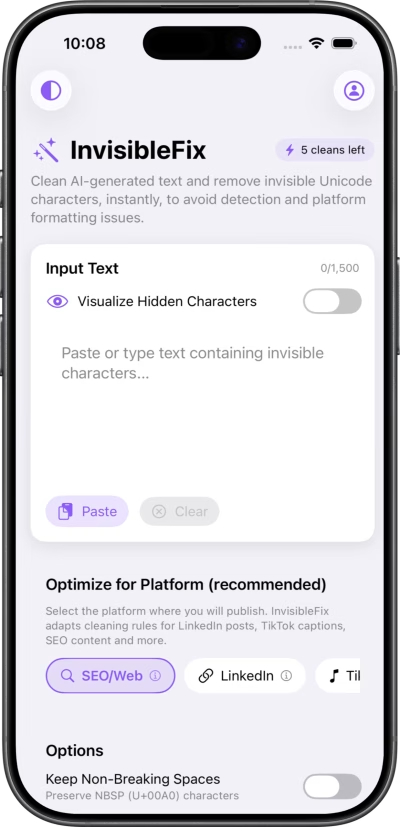
Web App on desktop for long workflows and on mobile browsers for cleaning on the go.
1
shared engine
A single sanitization engine that keeps results consistent across tools and platforms.
What the app does
InvisibleFix cleans AI-generated text at the Unicode level. It removes the invisible characters that break layouts and normalizes formatting so your content renders predictably across platforms.

Invisible Unicode cleanup
Zero-width characters (ZWS, ZWJ, ZWNJ), NBSP, BOM, Bidi controls and other hidden marks are detected and removed.

Formatting normalization
Spacing, line breaks and punctuation are normalized to avoid wrapping bugs, broken hashtags and odd truncations.

Platform-aware profiles
Apply different rule sets for SEO/Web, LinkedIn, X, TikTok, Pinterest, Instagram, Facebook and a generic cleaner so text behaves correctly on each destination.
How it works
A simple workflow on the surface, a deterministic engine underneath. Clean once, then publish anywhere with confidence.
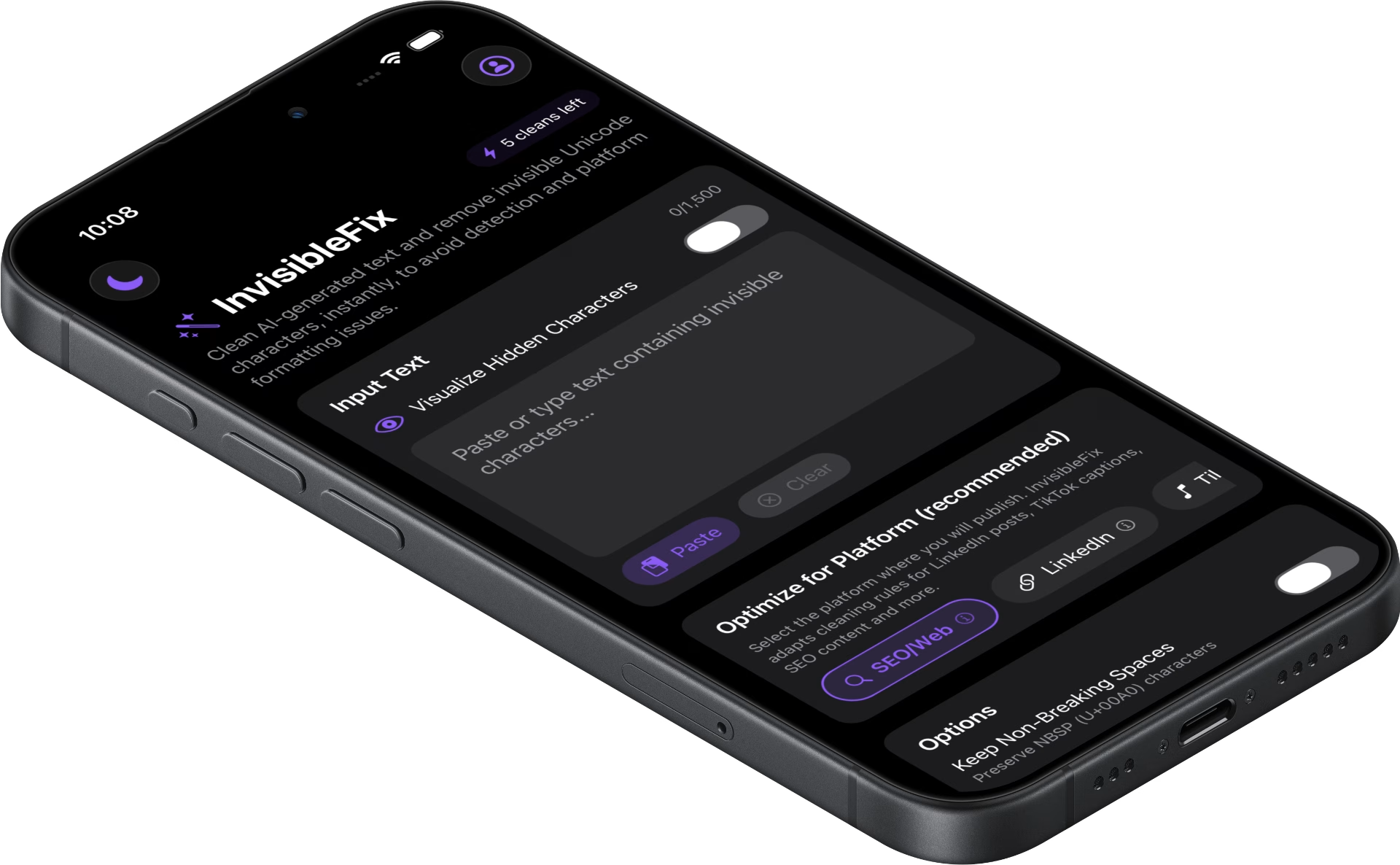
1. Paste or type
Bring text from ChatGPT, Claude, Docs, PDFs or any editor into InvisibleFix.
2. Choose a destination
Select SEO, LinkedIn, TikTok, Instagram, X, Facebook or Email to apply platform-aware rules.
3. Clean and publish
Copy cleaned text into your app, CMS or scheduler with predictable rendering and stable formatting.
Under the hood
A deterministic sanitization engine, not a rewrite tool
InvisibleFix operates at the Unicode layer. That means the result is predictable and repeatable: the same input produces the same cleaned output, without “creative” changes to your wording.
Scanning layer
Scans text for invisible Unicode characters and control marks that impact rendering, search fields and social parsing.
Normalization layer
Applies safe replacements for spaces, line breaks and punctuation, while preserving meaning, tone and structure.
Stability checks
Ensures the cleaned text behaves in real fields: feeds, captions, bios, titles, meta descriptions and email layouts.
Two ways to work, one standard of clean text
Choose the workflow that fits your day. Both run on the same sanitization engine so results stay consistent across devices and teams.

Web App on desktop
Clean long form content, SEO pages, newsletters and editorial drafts in a browser workflow. Best for CMS fields and scheduled publishing.
Platform profiles: one engine, multiple publishing surfaces
A LinkedIn post does not behave like a meta description, and a TikTok caption does not behave like an email preview line. Platform profiles encode these differences so teams do not have to remember them manually.
SEO & web profiles for titles, headings, body copy and metadata
Social profiles for LinkedIn, TikTok, Instagram, Facebook and X
Email profiles for subject lines, preview text and newsletter layouts
Generic profile for documentation, notes and internal tools

Use cases
Agencies & ghostwriters
Deliver polished assets to clients without spending hours fixing spacing issues at the end of the process. Keep the voice, remove the invisible problems.
SEO & content operations
Normalize hundreds of AI-assisted articles and metadata fields so snippets, headings and internal search behave predictably in your CMS.
Creators & teams on mobile
Clean captions, bios and replies in a mobile browser before pasting them into your apps. Avoid weird wraps and broken hashtags when publishing fast.
App FAQ
Quick answers about what InvisibleFix changes (and what it never changes).
Does InvisibleFix rewrite my content?
No. InvisibleFix removes invisible Unicode characters and normalizes formatting. It does not paraphrase, summarize or change meaning.
What kind of characters do you remove?
InvisibleFix targets Unicode-level noise: zero-width characters, NBSP, BOM, Bidi controls and other control marks introduced by AI tools, PDFs, Docs and chat apps.
Will this help with hashtags and emoji spacing?
Yes. Many hashtag and emoji issues come from invisible spaces and zero-width marks. Cleaning stabilizes how platforms parse and render your text.
Desktop or mobile: which workflow should I use?
Use the Web App on desktop for long form content and bulk work. Use it in a mobile browser to clean text on the go. Both share the same engine.
Is InvisibleFix only for AI-generated text?
No. Any text copied from Docs, PDFs, email or chat tools can carry invisible characters. Cleaning improves predictability even for human-written content.
Privacy, security & deep dives
Explore invisible Unicode characters, formatting edge cases and practical cleanup examples through our latest articles.

 Invisible Fix


Start publishing clean AI text
Use InvisibleFix as the hygiene layer between AI tools and real platforms. Clean once, publish everywhere, and keep your formatting stable at scale.